ClickUp Boards
Kanban boards that move work forward
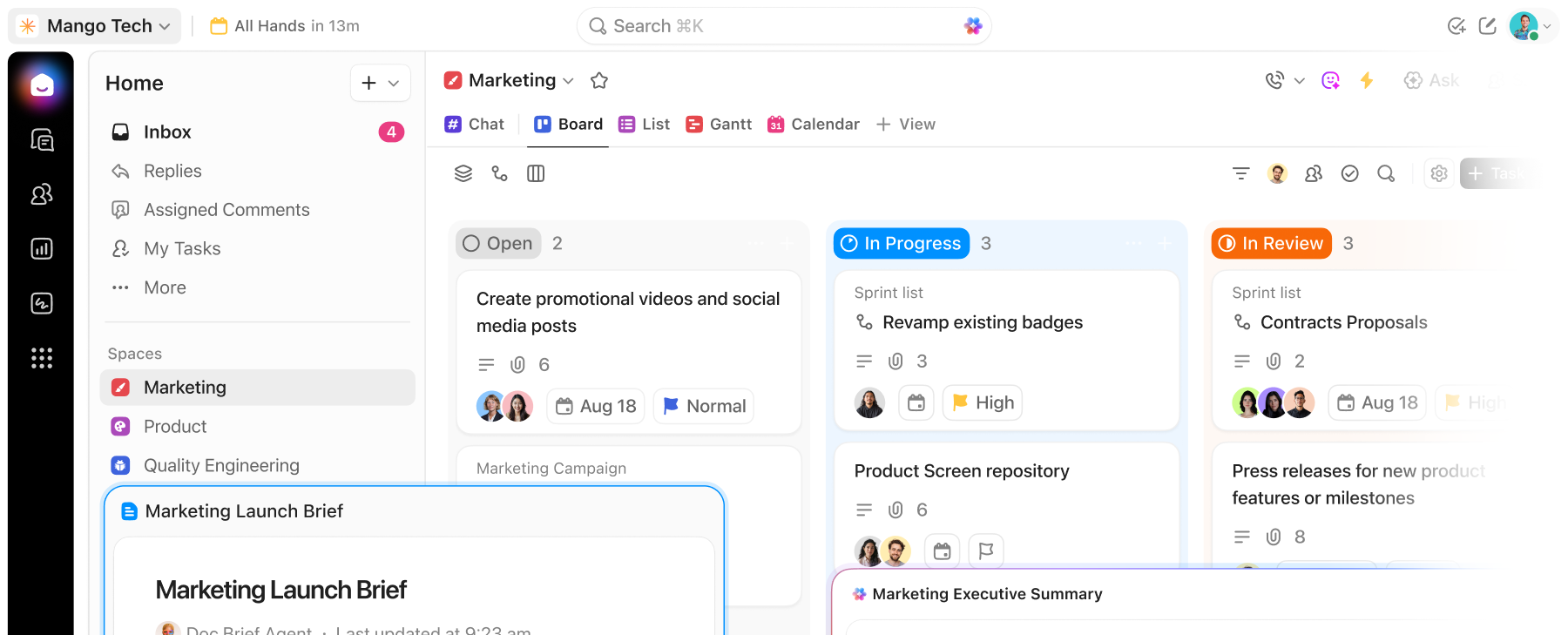
ClickUp connects boards to docs, chats, calendars, and AI in one place. Less context-switching, more shipping.
Free forever.
No credit card.
 25,000+ reviews from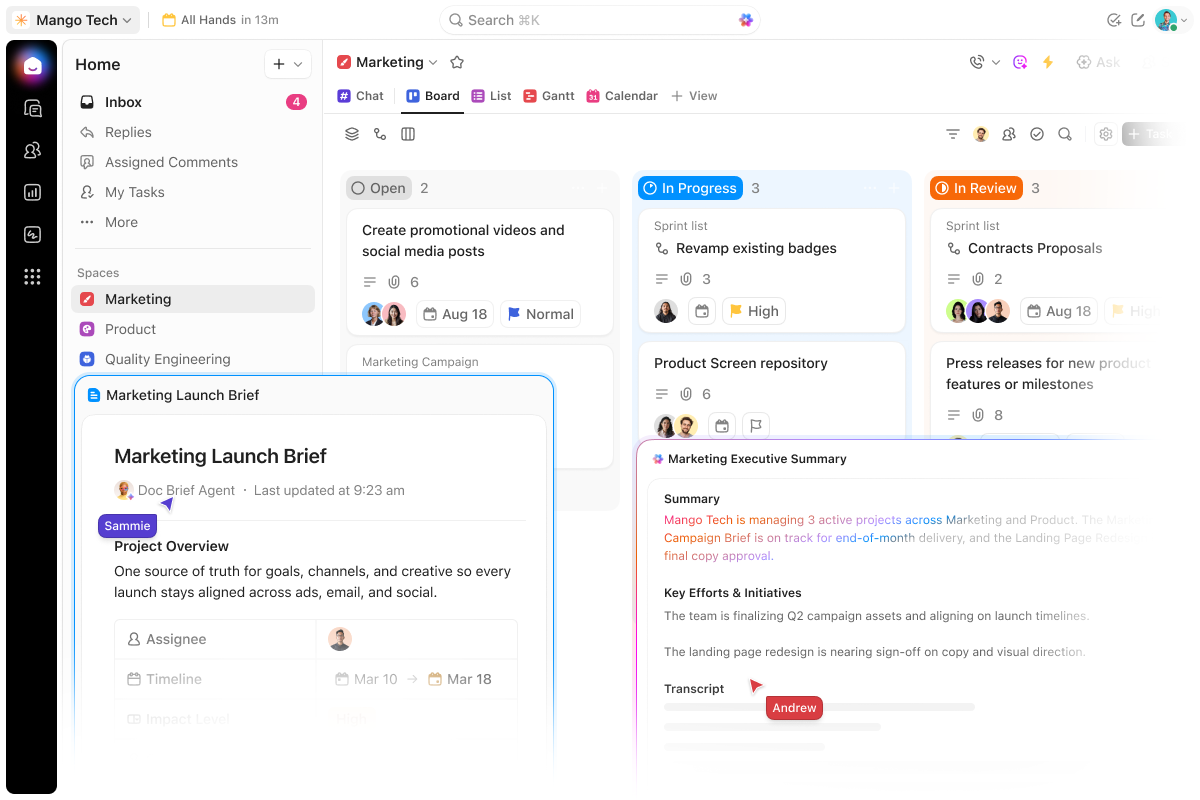
Trusted by the best
Why ClickUp Boards
Stop letting work stall on the board
ClickUp's Board view lives in the same workspace as your docs, chat, calendar, and AI.
Without ClickUp Boards
- Cards pile up with no cap on work in progress
- Context lives in other tools, away from the card
- Every new view means rebuilding the project
- Stalled work only surfaces in the status meeting
With ClickUp Boards
- Column limits flag when a stage is full
- Comments, files, and linked docs right on the card
- Switch to List, Calendar, or Gantt with the same tasks
- Brain answers what's stuck and Super Agents ping when work stalls
Board view
Your work is already in motion, give it a board that keeps up
All the context, control, and connection to keep work moving.
One connected workspace
A board that's part of something bigger
ClickUp's Board view is one lens on your project. Switch to List, Calendar, or Gantt and the same tasks are right there, no import, no rebuild. Everything you add on the board stays with the work, wherever you view it.
Never lose context
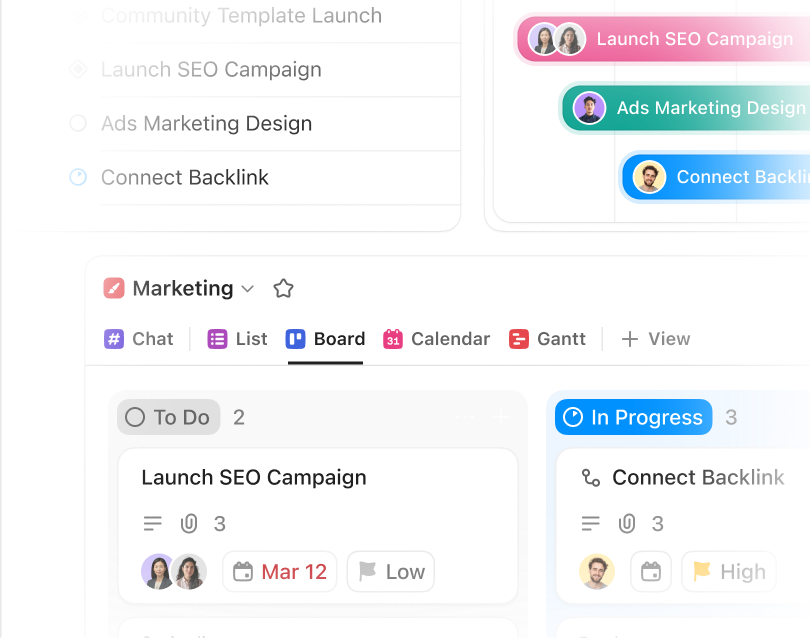
Do the work right from the card
Assign owners, drop in comments, and attach files without leaving the board. When a task needs a doc, it's already linked. One surface for every action.
Stay in control
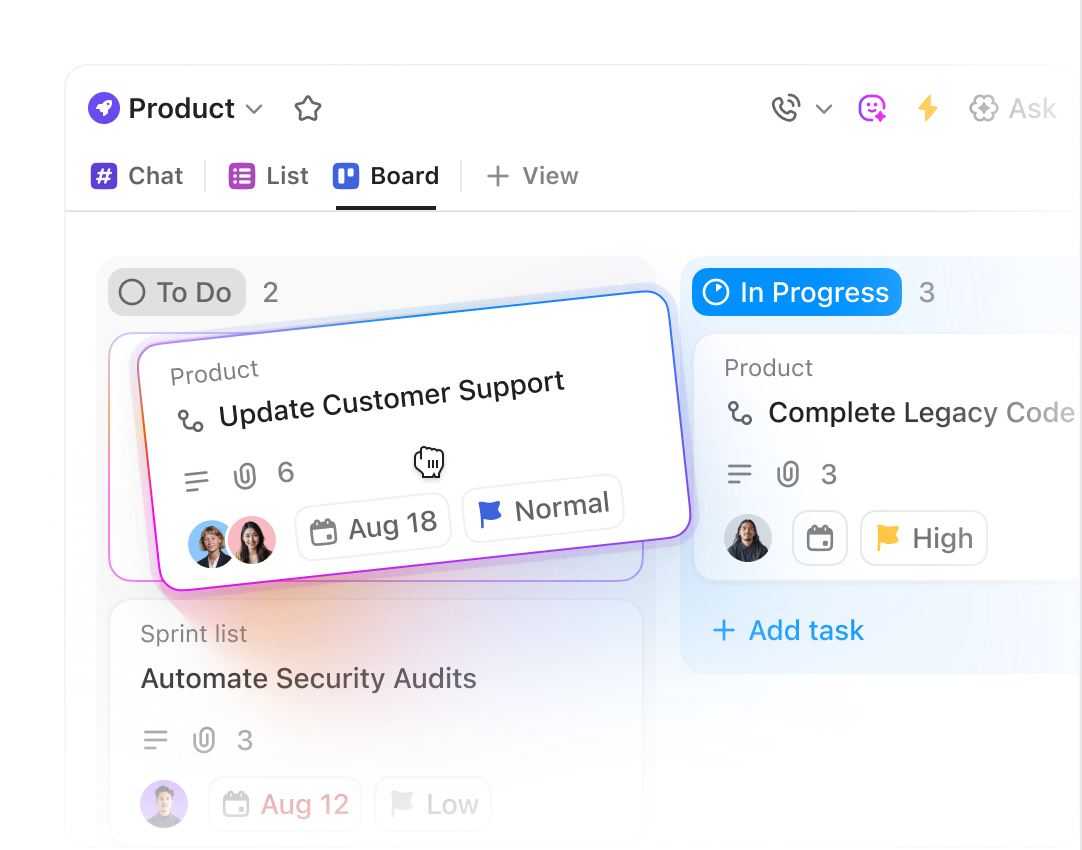
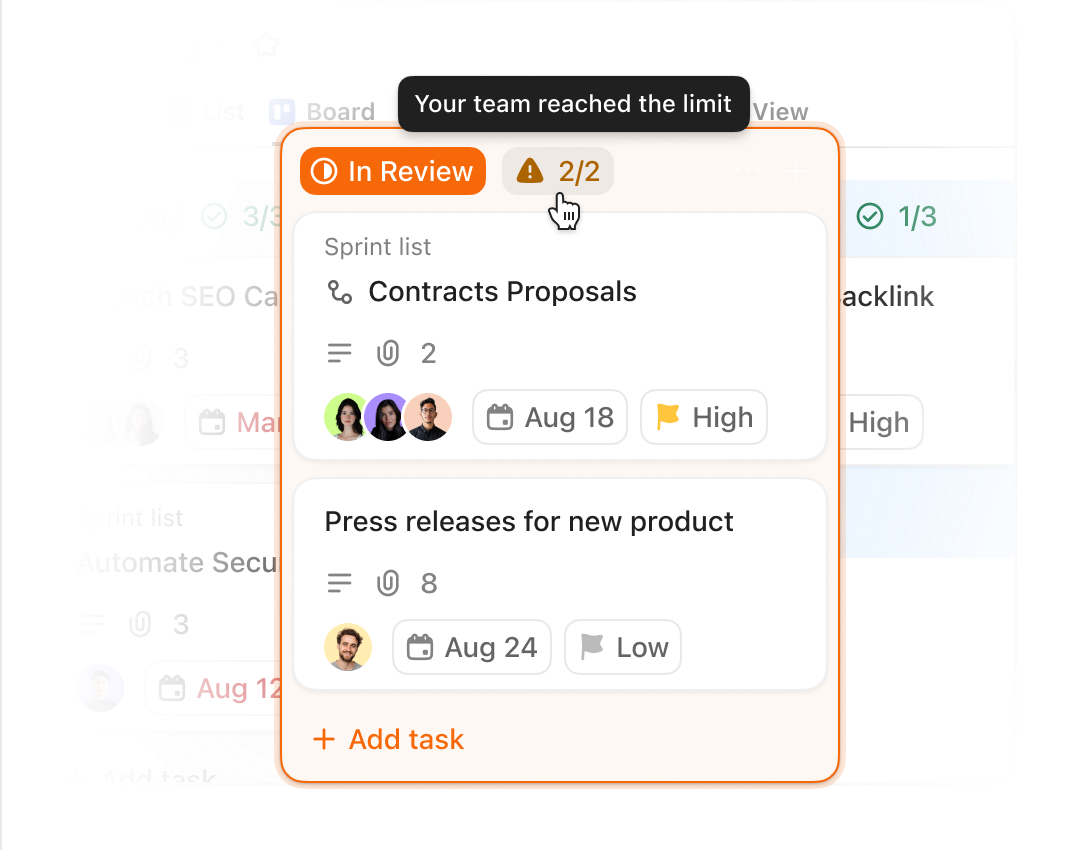
Set limits on each stage
Set a cap on each column and ClickUp flags when you hit it. Your team sees when to pause new work and focus on finishing what's already in flight. Less piling up. More shipping.
Your work is already in motion, make sure it keeps moving
Free forever. No credit card required.




ClickUp Brain + Super Agents
AI that reads your board and moves your work
ClickUp Brain answers questions about your board. Super Agents act when work stalls.
ClickUp Brain
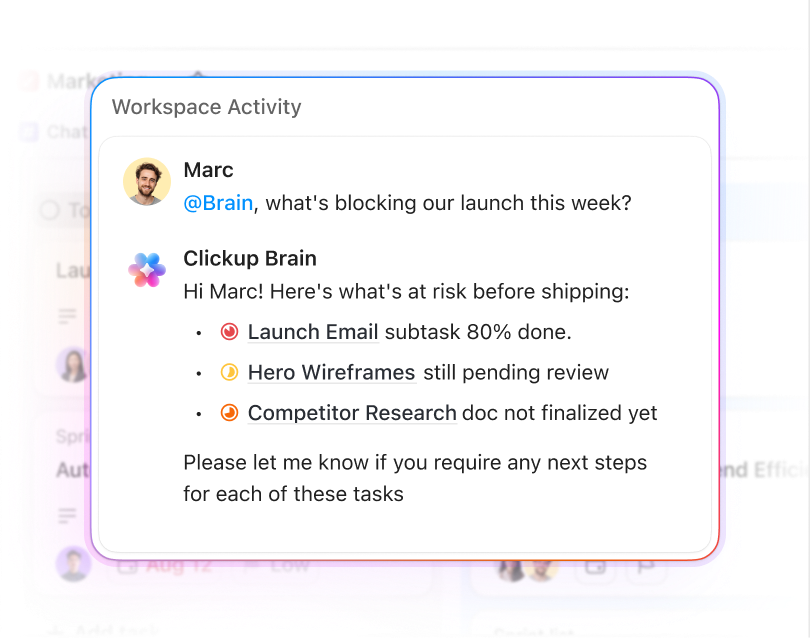
Ask what's stuck and get an answer instantly
"What's been sitting in In Progress for more than a week?" Ask Brain and it pulls the answer from your board in seconds, no status meeting required. Ask about deadlines, workloads, or blockers and get a real response.
Super Agents
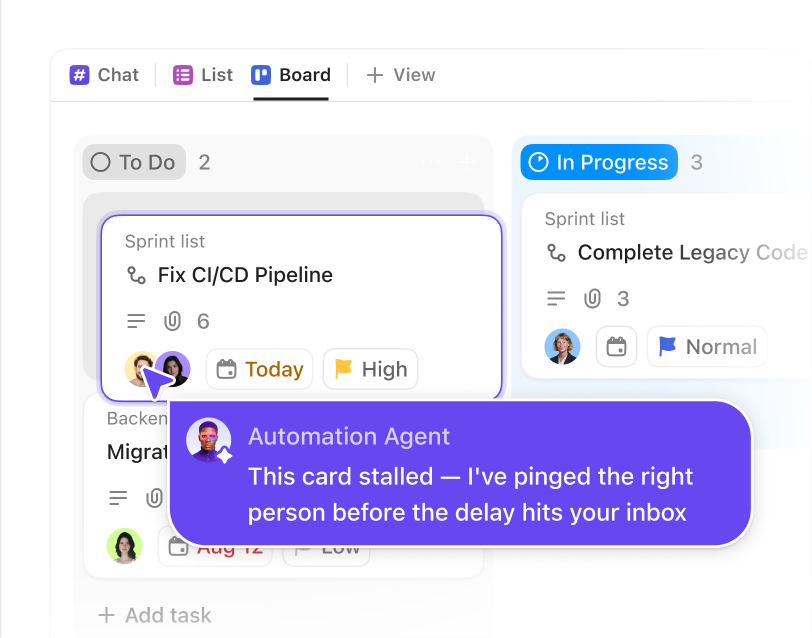
Stalled work doesn't stay stalled
Super Agents can be configured to watch for cards that haven't moved and columns nearing capacity. Set one up and it pings the right person when something stalls, before the delay lands in your inbox.
Every Kanban feature, built in from day one
Board view is just the beginning
Board view is your visual entry point into the ClickUp platform. Tasks, Docs, Chat, Calendar, Dashboards, and more in a single, converged app. Explore everything you unlock when your work lives in one place.
Enterprise Grade Security
Everywhere
SOC 2 TYPE II
ISO 27001
GDPR
HIPAA
24/7 support
SOC 2 TYPE IIISO 27001GDPRHIPAA
FAQs
Frequently asked questions about ClickUp Boards
A Kanban board is a visual project management tool that organizes work into columns representing stages of a workflow. Tasks move across columns as they progress, giving teams a real-time view of what's in progress, what's blocked, and what's done.
Yes. ClickUp's Kanban Board view is available on the free plan. You can add a Board view to any list or project, use drag-and-drop, set custom columns, and add context to cards at no cost.
Open any List or project in ClickUp, click the Views bar, and select Board view. Your tasks appear as cards organized by status. You can customize columns, set WIP limits, add custom fields, and filter cards without leaving the board.
WIP (work-in-progress) limits cap the number of tasks allowed in each column at one time. In ClickUp, you can set a limit per column. When a column hits its cap, it's visually flagged, making it easy to see when to pause new work and focus on finishing what's already in flight.
ClickUp's Kanban board is one view inside a fully connected workspace that includes Docs, Chat, Calendar, Dashboards, and AI. ClickUp gives you WIP limits, nested subtasks, custom fields, automation, and ClickUp Brain in one connected workspace.
Your board should work hard as your team does
Free forever.
No credit card.
No credit card.